
How to Manage Employee Working Hours Across Different Time Zones
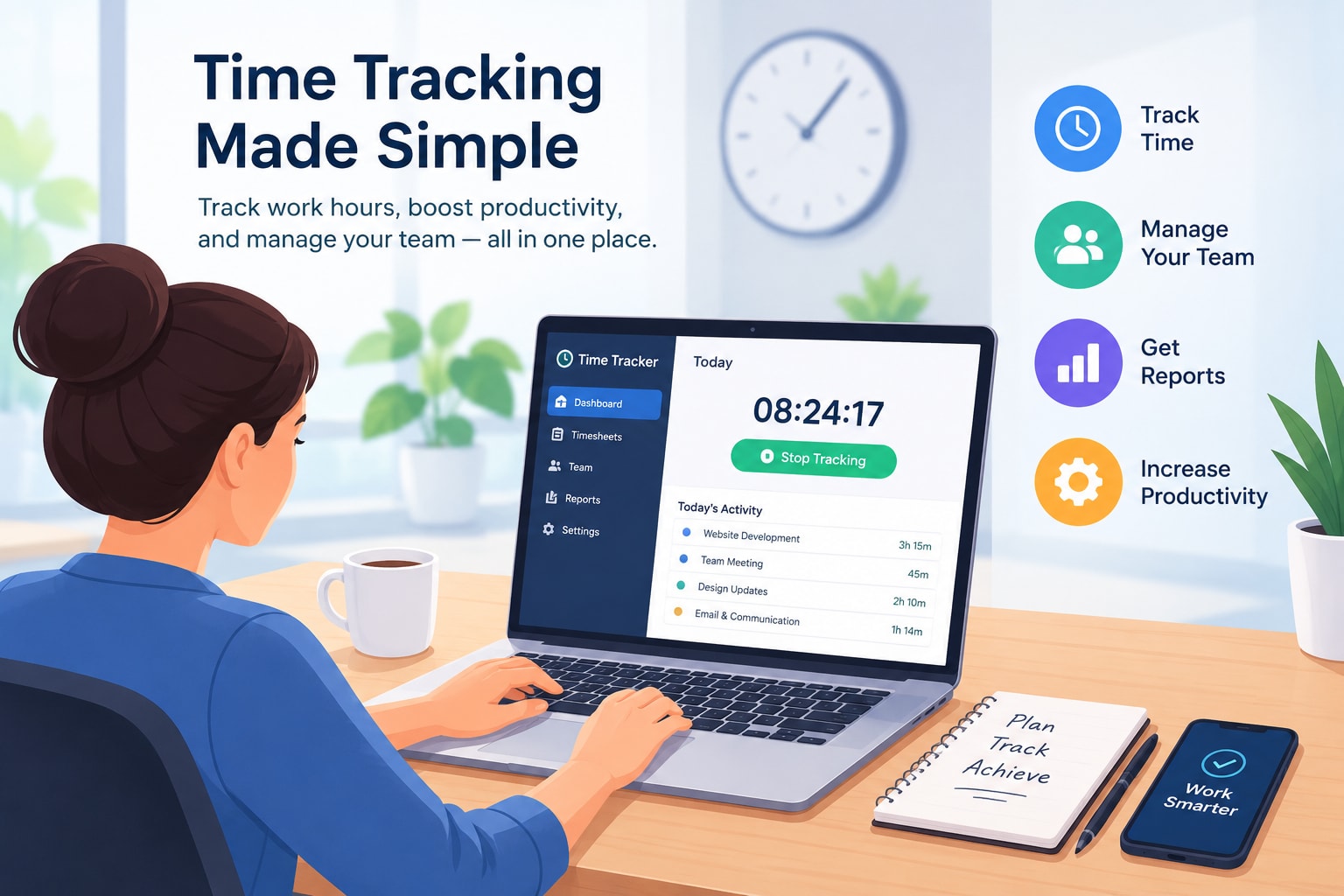
- Managing employees across different time zones is one of the biggest challenges for businesses with remote teams, international offices, and global operations.
- An employee in New York may start working while a colleague in London is finishing the day. Meanwhile, a manager in Singapore may need to coordinate both teams without creating unnecessary delays or expecting employees to work outside their scheduled hours.
- Without a clear system, businesses can experience missed meetings, inaccurate attendance records, scheduling conflicts, delayed project handovers, and confusion about employee availability.
- So, how can businesses manage employee working hours across different time zones effectively?
- The best approach combines clearly defined work schedules, reliable employee time tracking, transparent attendance policies, asynchronous communication, and measurable performance expectations.
- For companies managing distributed teams, employee time tracking software such as Staff Time Tracker can support better visibility into working hours, attendance, and workforce management.
- What Does Managing Employee Working Hours Across Different Time Zones Mean?
- Managing employee working hours across different time zones means coordinating employee schedules, attendance, working hours, and team responsibilities when employees work from different geographical locations.
- For example, a company may have:
- A business owner in the United States.
- An HR manager in the United Kingdom.
- A development team in Bangladesh.
- A customer support team in the Philippines.
- A sales office in Australia.
- Each location follows a different local time. Managers must coordinate work without assuming that everyone follows the same daily schedule.
- An effective global workforce management process helps businesses understand when employees are scheduled to work, how their working hours are recorded, and when teams are available for collaboration.
What Does Managing Employee Working Hours Across Different Time Zones Mean? Managing employee working hours across different time zones means coordinating employee schedules, attendance, working hours, and team responsibilities when employees work from different geographical locations. For example, a company may have: A business owner in the United States. An HR manager in the United Kingdom. A development team in Bangladesh. A customer support team in the Philippines. A sales office in Australia. Each location follows a different local time. Managers must coordinate work without assuming that everyone follows the same daily schedule. An effective global workforce management process helps businesses understand when employees are scheduled to work, how their working hours are recorded, and when teams are available for collaboration. Why Is Managing Employee Working Hours Across Time Zones Important? Poor time-zone management can affect productivity, employee satisfaction, customer service, and business operations. Here are some common challenges businesses face. 1. Confusion About Employee Availability When employees work in different locations, managers may not know when each person starts or finishes work. For example, a manager in London might send a meeting invitation to a team member in Bangladesh without realizing that the proposed meeting is outside the employee's normal working schedule. A shared schedule and clear availability rules help prevent this problem. 2. Inaccurate Attendance Records Companies managing employees across multiple countries may struggle to maintain consistent attendance records. Manual spreadsheets can create problems when employees record their working hours using different time zones or formats. A centralized time tracking system can help businesses organize clock-in records, clock-out times, and employee attendance information. 3. Scheduling and Meeting Conflicts International teams often need to attend meetings across several time zones. Scheduling every meeting around the manager's local time can create an unfair burden for employees in other locations. Businesses should establish reasonable collaboration hours and use asynchronous communication whenever a live meeting is unnecessary. 4. Payroll and Overtime Challenges Working-hour records can become difficult to manage when employees have different schedules, local holidays, overtime arrangements, and daylight-saving changes. Businesses should maintain accurate records and apply the employment, overtime, and payroll rules relevant to each employee's work location. 5. Reduced Employee Accountability Remote managers cannot rely on physical office attendance to understand whether work is progressing. They need clear schedules, defined responsibilities, reliable attendance records, and measurable project outcomes. Accountability should be based on agreed expectations and completed work—not simply on how long an employee appears online.
10 Best Ways to Manage Employee Working Hours Across Different Time Zones Businesses can improve global workforce management by following these practical strategies. 1. Create a Standard Working Hours Policy Start by establishing a clear working-hours policy for every employee or team. Your policy should explain: Official working days. Employee start and finish times. Break periods. Weekly working-hour expectations. Overtime approval procedures. Attendance and absence reporting. Communication and availability expectations. Procedures for schedule changes. For example, a company may operate a standard eight-hour shift for its Bangladesh team and a separate schedule for its United States customer support team. The schedules can differ while still following company policies and applicable local employment requirements. 2. Use a Centralized Employee Time Tracking System One of the most practical ways to manage employees across different time zones is to use a centralized time tracking system. Instead of collecting working hours through separate spreadsheets, businesses can maintain organized employee time records in one place. Depending on the software's capabilities, useful features may include: Employee clock-in and clock-out. Working-hour records. Attendance management. Timesheet reporting. Project and task time tracking. Employee work schedules. Manager reporting. For example, Staff Time Tracker is a workforce time tracking solution businesses can evaluate for managing employee working hours and attendance. Before choosing a platform, confirm that its time-zone handling, reporting, and scheduling features meet your company's specific requirements. 3. Record Working Hours in the Correct Time Zone A global company should distinguish between an employee's local working time and the company's reporting time. Consider this example: A company has employees working in the United States, the United Kingdom, and Bangladesh. Each team follows its own local working schedule, but managers need to coordinate projects, monitor attendance, and review working hours across all locations. - United States: Employees follow their local office schedule and update project progress before finishing their workday. - United Kingdom: Managers review completed tasks and coordinate with the US team during overlapping working hours. - Bangladesh: Employees receive project handovers, complete assigned tasks, and record their working hours according to their local schedule. - HR Department: Uses centralized time tracking and attendance records to review employee working hours. - Management Team: Reviews timesheets, project progress, and workforce reports to maintain accountability across all locations. This approach helps businesses coordinate international teams, reduce scheduling confusion, maintain accurate attendance records, and improve employee accountability without requiring everyone to work in the same time zone.
4. Establish Core Collaboration Hours Core collaboration hours are a limited period when employees in different locations are expected to be available for essential team communication. For example, a distributed company might establish a two-hour collaboration window that works reasonably well for its main locations. During this period, teams can schedule: Project meetings. Manager check-ins. Important discussions. Client coordination. Cross-department collaboration. Outside those hours, employees can focus on individual tasks and communicate asynchronously. The goal is to create enough shared working time without requiring every employee to follow the same schedule. 5. Use Asynchronous Communication Not every business discussion needs a live meeting. Asynchronous communication allows employees to share information and complete work without being online at the same time. Businesses can use: Project management updates. Shared documents. Recorded presentations. Email summaries. Task comments. End-of-day progress reports. For example, a development team in Bangladesh can finish its workday by documenting completed tasks and unresolved issues. A team in the United States can review those updates when its workday begins. Dropbox's guidance on cross-time-zone handoffs highlights the value of clear progress updates and structured work handovers. 6. Set Clear Employee Attendance Expectations A remote employee attendance policy should explain how employees record their working hours. Managers should define: When employees must clock in. How employees record clock-out times. How breaks are recorded. How missed clock-ins are corrected. How employees report absences. How overtime is approved. Consistent attendance procedures help HR departments maintain reliable records across multiple offices. Time tracking software can simplify this process by centralizing employee time entries and attendance reports. 7. Monitor Overtime and Protect Employee Work-Life Balance Managing a global workforce should not mean expecting employees to remain available around the clock. Businesses should monitor excessive overtime and avoid repeatedly scheduling meetings outside employees' normal working hours. For example, if an international meeting requires an employee to work late, managers should consider rotating meeting times or providing appropriate schedule adjustments. The International Labour Organization's guide to balanced working-time arrangements offers useful principles for employers designing sustainable schedules. 8. Create a Clear Shift Handover Process Companies operating across multiple time zones may need employees to hand over tasks between shifts. A structured handover process should include: Completed work. Pending tasks. Important deadlines. Customer issues. Technical problems. Next steps. The person responsible for each task. For example, a customer support team in Asia may finish its shift by documenting unresolved customer requests for the European team. This helps businesses maintain service continuity without requiring employees to work overlapping shifts unnecessarily.
Measure Results Instead of Constant Online Activity Employee accountability is not the same as constant surveillance. Businesses should define measurable responsibilities and evaluate whether employees complete their assigned work. Useful performance indicators may include: Tasks completed. Project milestones achieved. Customer response times. Work quality. Attendance consistency. Agreed deadlines. Team collaboration. MIT Human Resources recommends evaluating remote and hybrid employee performance through work outcomes, regular feedback, and clear expectations. This approach helps managers build accountability while respecting employee autonomy. How Employee Time Tracking Software Helps Global Businesses Employee time tracking software can help companies manage distributed teams by bringing working-hour records and attendance information into a more organized process. For businesses with remote employees, international offices, and multiple shifts, a centralized system can reduce administrative work and improve workforce visibility. Here are some important capabilities to evaluate. Employee Clock-In and Clock-Out Digital clock-in and clock-out records help businesses understand when employees begin and finish their scheduled work. This can be useful for remote teams, office-based employees, and organizations operating multiple shifts. Attendance Management Attendance management helps HR teams organize employee presence, absences, and working-hour records. It can reduce dependence on manually maintained attendance spreadsheets. Timesheet Management Digital timesheets allow managers to review employee time entries and understand how working hours are distributed. This is particularly useful for businesses managing multiple projects or client accounts. Project and Task Time Tracking Project time tracking helps companies understand how much time employees spend on individual assignments. Managers can use these records to improve project estimates, resource allocation, and workload planning. Workforce Reporting Centralized reports help managers review working hours, attendance patterns, and project time information. When combined with clear company policies, these insights can support better workforce decisions. Business application: Companies evaluating workforce time tracking tools can explore Staff Time Tracker to see whether its available features match their employee time management requirements. Which Businesses Need Multi-Time-Zone Employee Time Tracking? Managing working hours across different time zones is particularly important for organizations with international employees, distributed departments, multiple office locations, or rotating shifts. The following business types can benefit from organized employee time tracking. 1. IT Companies and Software Development Agencies Typical workforce: Developers, QA engineers, project managers, DevOps engineers, and technical support staff. IT companies frequently manage development teams working across Asia, Europe, and North America. Time tracking can help managers review working hours, organize project time records, and coordinate task handovers. 2. Business Process Outsourcing (BPO) Companies Typical workforce: Customer service representatives, call center agents, technical support agents, and team supervisors. BPO companies often operate multiple shifts to support customers in different countries. Attendance tracking, shift management, and accurate working-hour records are particularly important for these organizations. 3. Digital Marketing Agencies Typical workforce:SEO specialists, content writers, designers, paid advertising managers, and account managers. Digital marketing agencies often work with international clients and distributed teams. Time tracking helps agencies understand project time allocation, employee workloads, and billable working hours. 4. Accounting and Financial Services Firms Typical workforce: Accountants, bookkeepers, payroll specialists, financial analysts, and auditors. International accounting firms may have employees supporting clients in different countries. Reliable time records can help manage client projects, staff schedules, and billable hours. 5. E-commerce and Online Retail Businesses Typical workforce: Customer support agents, warehouse coordinators, marketing teams, operations staff, and order management specialists. E-commerce businesses serving international customers may need employees working across different shifts. Time tracking can support attendance management and operational planning. 6. Recruitment and Staffing Agencies Typical workforce: Recruiters, HR consultants, talent acquisition specialists, and recruitment coordinators. Recruitment teams often communicate with candidates and clients across several countries. Organized work schedules and time records help managers coordinate recruiters and distribute workloads. 7. International Consulting Firms Typical workforce: Business consultants, project managers, analysts, and client service teams. Consulting firms may have employees working with clients in several time zones. Project time tracking can help firms understand resource utilization and organize client billing records. 8. Remote-First Startups Typical workforce: Founders, developers, designers, marketing specialists, and remote operations teams. Remote-first startups often hire employees based on skills rather than geographical location. A centralized time management process can help growing businesses organize attendance, working hours, and project responsibilities. 9. Manufacturing and Multi-Location Businesses Typical workforce:Production workers, supervisors, maintenance teams, logistics staff, and office administrators. Manufacturing businesses with multiple facilities may operate different shifts and need reliable attendance records. Time tracking can support workforce planning and shift-related administration. 10. Professional Services and Distributed Office Networks Typical workforce: Lawyers, administrative staff, project coordinators, consultants, and office managers. Organizations with offices in different cities or countries need consistent workforce policies and accessible employee records. Centralized time tracking can help HR and operations teams maintain a consistent approach. Real-World Example: Managing a Team Across Three Countries Consider a software company with employees in the United States, the United Kingdom, and Bangladesh. Its management team faces several challenges: Employees follow different local working schedules. Managers need to coordinate project handovers. HR needs reliable attendance records. Project managers need to review task time. International meetings must be scheduled fairly. A practical workforce management approach could look like this: Business Requirement Recommended Approach Working-hour records Centralized employee time tracking Attendance Consistent clock-in and clock-out procedures Meeting coordination Shared calendars with local time zones Project handovers End-of-shift progress updates Overtime management Approval and reporting policy Performance accountability Clear goals and project milestones HR administration Regular timesheet and attendance reviews This approach allows employees to work according to agreed local schedules while managers maintain visibility into business operations. How to Choose the Right Employee Time Tracking Software Before selecting a workforce management platform, business owners and HR managers should evaluate the following factors. 1. Time-zone handling: Can the system display employee working hours clearly in the correct local time zone? 2. Attendance management: Does it support the attendance processes your organization needs? 3. Timesheet reporting: Can managers review daily, weekly, and monthly working-hour records? 4. Project tracking: Can employees record time against tasks or projects if required? 5. Multiple employee locations: Can the platform support your workforce structure and different office locations? 6. Privacy and security: Does the vendor clearly explain what employee data is collected, how it is protected, and who can access it? 7. Ease of use: Can employees and managers use the system without complicated training? 8. Business scalability: Can the solution support additional employees, departments, and locations as your business grows? Do not select software based only on the number of features. Choose a solution that addresses your actual workforce management requirements. Improve Remote Employee Accountability with Staff Time Tracker Managing employees across different time zones requires more than knowing when people are online. Businesses need an organized way to manage working hours, attendance, timesheets, and employee responsibilities. A suitable employee time tracking solution can help managers maintain better workforce visibility while allowing employees to work according to agreed schedules. Staff Time Tracker is a solution businesses can explore when evaluating employee time tracking and workforce management software. Whether you manage a remote development team, an international customer support department, a digital agency, or multiple office locations, choose tools that support accurate time records and transparent workforce policies. Frequently Asked Questions 1. How do you manage employee working hours across different time zones? Create local working schedules for each employee, establish shared collaboration hours, use a time-zone-aware time tracking system, and maintain clear attendance and overtime policies. 2. What is the best way to track remote employees in different countries? Use a centralized employee time tracking system that supports your required attendance, working-hour, timesheet, and reporting processes. Combine it with clear communication and measurable performance goals. 3. How can HR manage attendance across multiple countries? HR teams can establish consistent attendance policies, record employee clock-in and clock-out times, maintain local schedules, and review centralized attendance reports. 4. Should all remote employees work in the same time zone? No. Employees can follow schedules based on their location, contractual arrangements, and business requirements. Companies should establish reasonable collaboration hours rather than requiring everyone to work identical local hours. 5. How do businesses avoid time-zone scheduling conflicts? Use shared calendars that display local time zones, confirm meeting times with participants, establish core collaboration hours, and rotate inconvenient meeting times when necessary. 6. How does time tracking improve employee accountability? Time tracking provides records of working hours and time allocated to tasks. When combined with clear responsibilities and performance goals, it helps managers review work patterns and support better planning. 7. Can employee time tracking software support international teams? Yes, depending on the platform. Businesses should check whether the software supports their required locations, time-zone display, attendance records, reporting, and scheduling workflows. 8. What industries benefit most from multi-time-zone workforce management? IT companies, BPO providers, digital marketing agencies, accounting firms, recruitment agencies, consulting businesses, e-commerce companies, and remote-first startups can all benefit from organized workforce time management. 9. Does daylight saving time affect employee working hours? Yes. Daylight-saving changes can affect scheduled shifts, recorded hours, and overtime calculations in locations that observe them. Employers should check local employment rules and ensure their timekeeping processes handle clock changes correctly. 10. What is the difference between time tracking and employee monitoring? Time tracking records working hours and time spent on tasks. Employee monitoring may provide additional insights into work-related activities, depending on the software. Businesses should choose appropriate features and communicate their employee privacy policies clearly. Staff Time Tracker
Conclusion Managing employee working hours across different time zones requires clear scheduling, accurate time records, consistent attendance policies, and effective communication. For international businesses, remote-first companies, BPO providers, software agencies, and multi-location offices, a centralized workforce management process can reduce administrative confusion and improve operational visibility. The most effective strategy combines reliable employee time tracking with fair schedules, transparent policies, and accountability based on work outcomes. If your business manages remote employees or multiple office locations, explore Staff Time Tracker as part of your employee time management software evaluation.